Part 1: Building a Human-Like AI Companion on Telegram

I started this project after hearing about OpenClaw—an open-source AI assistant that runs autonomously and connects directly to messaging platforms like Telegram. Instead of just answering prompts in a sterile web interface, it executed real-world tasks and lived natively where people actually communicate. The concept really fascinated me.
I wanted to make a Telegram bot that texts just like a human does. Think of it as passing a personal Turing Test. I didn't want a generic chatbot that just responds to prompts with a single wall of text; I wanted something that felt genuinely present in my daily life. This meant Aki needed to be capable of sending multiple short messages instead of paragraphs, triggering typing indicators perfectly timed to response lengths, dropping emojis natively, reacting to my messages, and remembering context across weeks of conversations.
This is the first part of my journal documenting the engineering decisions behind building Aki. Instead of just showing API calls, I'll walk through the practical challenges of making an agent feel "alive"—from hosting webhooks to engineering a robust operations dashboard, and designing an Aki Mini App so the AI has a "life" outside the text box.
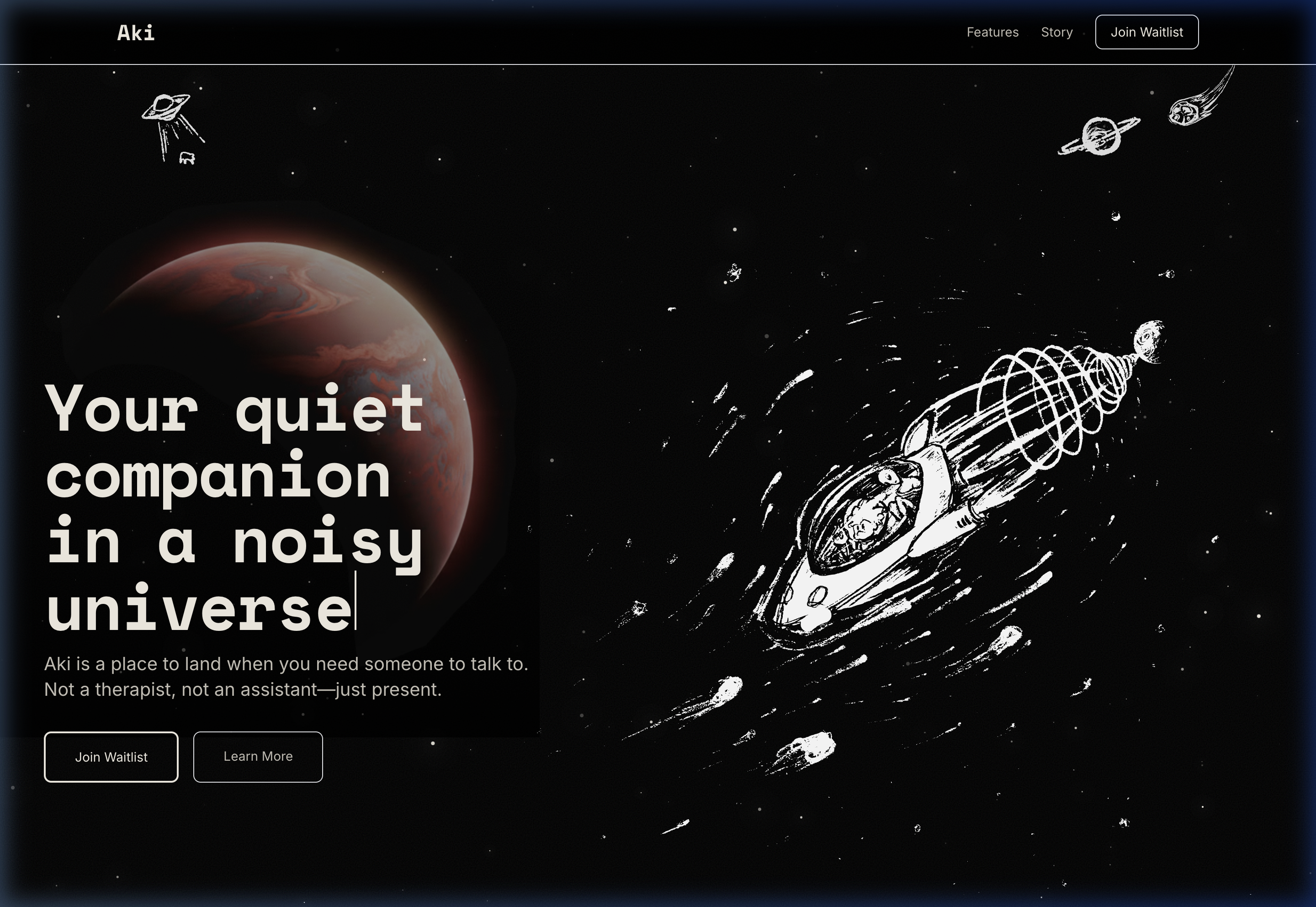
The source code is available on GitHub here, and you can see the project landing page at aki-landing.vercel.app.
The Big Picture: Architecture
Railway (Cloud)
├── FastAPI Server
│   ├── Webhook (/webhook/)
│   ├── REST API (/api/...)
│   ├── Static Files (Mini App UI)
│   │
│   ├── AgentOrchestrator
│   │   └── routes messages + context
│   │
│   ├── SoulAgent
│   │   └── LLM calls, memory, parsing
│   │
│   ├── AsyncMemoryManager
│   │   └── PostgreSQL via SQLAlchemy
│   │
│   └── LLM Client (LiteLLM)
│
├── PostgreSQL (Neon)
├── APScheduler (cron jobs)
└── Streamlit Dashboard (monitoring)
The tech stack is built for speed and asynchronous concurrency: a FastAPI backend engine, the python-telegram-bot wrapper to interface with Telegram's APIs, Claude via LiteLLM for the core reasoning "brain", and PostgreSQL on Neon for persistent memory. The entire application is deployed as a single process on Railway.
Getting off the ground: Webhooks and APIs
The first architectural hurdle was combining a Telegram bot, a REST API, and a React frontend into a single running process.
During local development, bots usually rely on polling—constantly asking the Telegram servers if there are new messages in an endless HTTP loop. In production, webhooks are the standard: Telegram actively pushes events to a secure endpoint on my server instead.
Since my FastAPI server also needs to serve the Telegram Mini App frontend (a static HTML/JS/CSS bundle) and expose the REST API endpoints it uses, I utilized FastAPI's asynccontextmanager lifespan feature. This elegantly solves a common issue with bot hosting: gracefully starting and tearing down the polling/webhook listeners without causing port-binding zombie processes during Railway deployments. It boots up the bot's listening service right alongside the API server:
@asynccontextmanager
async def lifespan(app: FastAPI):
    # Startup the underlying bot client
    await bot.start()

    # If a webhook URL is defined in the env, register it with Telegram
    if settings.WEBHOOK_URL:
        await bot.application.bot.set_webhook(
            url=f"{settings.WEBHOOK_URL}/webhook/{settings.TELEGRAM_BOT_TOKEN}"
        )

    yield  # App is actively running and serving traffic

    # Graceful Shutdown prevents zombie webhooks on restart
    await bot.stop()

app = FastAPI(title="AI Companion API", lifespan=lifespan)
The WEBHOOK_URL environment variable acts as a master switch. If it's set in Railway, the server relies exclusively on webhooks. If not, it falls back to polling, which means I can still test the bot locally on my laptop without setting up ngrok tunnels.
Securing the Webhook Route
Exposing a public endpoint on the internet means it will inevitably get port-scanned. If that endpoint accepts POST data and processes it as an incoming chat message, a bad actor could easily forge fake Telegram updates and inject them straight into the LLM orchestration pipeline.
To secure this, the registered Telegram webhook URL is dynamically suffixed with the actual Telegram Bot Token as a path parameter. The FastAPI route implicitly validates the token before it ever attempts to deserialize the JSON payload:
@app.post("/webhook/{token}")
async def webhook_handler(token: str, request: Request):
    if token != settings.TELEGRAM_BOT_TOKEN:
        raise HTTPException(status_code=403, detail="Invalid token")

    try:
        data = await request.json()
        # De-serialize the raw JSON straight into a native python-telegram-bot object
        update = Update.de_json(data, bot.application.bot)
        await bot.application.process_update(update)
        return {"status": "ok"}
    except Exception as e:
        logger.error(f"Error processing webhook update: {e}")
        raise HTTPException(status_code=500, detail=str(e))
This ensures only authentic payloads actively initiated by Telegram's servers ever reach the underlying python-telegram-bot application architecture.
Nailing the UI/UX Details
Building a sophisticated backend doesn't matter if interacting with the agent still feels robotic. To nail the Turing Test feel, I had to reverse-engineer how people actually text, and force the agent to mimic those patterns using Telegram's native tools.
Multi-Bubble Delivery
Receiving a massive block of text from a friend feels awkward. Humans break up complex thoughts into separate chat bubbles. I engineered the response schema so the agent automatically splits longer responses along logical sentence boundaries. It sends them sequentially with a small delay between each bubble. Watching three short messages arrive sequentially feels substantially more natural than staring at a screen for five seconds and receiving a textbook paragraph.
Reactions and Typing Indicators
I set up an output parser designed to capture specific emoji tags generated by the LLM. If the model outputs a valid Telegram emoji (like 👍, ❤️, or 🔥), the API backend doesn't send it as a text message—it actively applies it as a native reaction to my previous message.
To balance this and prevent the bot from reacting to every single message (which gets annoying fast), I tied the functionality to a randomized cooling counter. It only reacts naturally when the internal countdown hits zero.
Furthermore, I invoke Telegram's typing indicator API before every single message bubble is sent. The duration of the typing status scales proportionally with the character count of the incoming bubble (e.g. min(1.0 + len(text) * 0.05, 30.0) seconds).
Exploiting the Telegram Bot SDK
Typing indicators and emojis are just scratching the surface. The standard text-in, text-out chatbot model is inherently limiting. The Telegram Bot SDK provides a rich set of native tools that allow a bot to act much more like a human operating a smartphone.
For instance, consider how friction-heavy text commands are. If you want a user to confirm an action, forcing them to type "yes" or "no" breaks the conversational flow. Instead, the SDK supports InlineKeyboardMarkup. I engineered the bot's settings dialogues so that when it asks a procedural question (e.g., "Are you okay with me texting you first sometimes?"), it attaches inline [Yes] and [No] buttons directly beneath the message bubble.
# snippet of the inline keyboard routing
keyboard = [
    [InlineKeyboardButton("Yeah, that's fine", callback_data="reachout_enable")],
    [InlineKeyboardButton("No, I'll text you first", callback_data="reachout_disable")]
]
await update.message.reply_text(
    "Would you like me to check in on you occasionally?",
    reply_markup=InlineKeyboardMarkup(keyboard)
)
When the user taps a button, a silent CallbackQuery is fired to the FastAPI server in the background. The bot instantly answers the query and gracefully edits its original message text to reflect the choice, effectively turning the chat history into an interactive UI rather than a static log.
Furthermore, the Bot SDK natively supports structured media. A truly convincing Turing test isn't just about text; it's about multimedia communication. If the bot needs to suggest a location, it doesn't send a Google Maps link—it sends a native Telegram Location object. If it needs to prove it "listened" to a Spotify track, it can send an Audio file wrapper.
By mapping the LLM's intent to these native Telegram objects rather than forcing everything into string output, the agent begins to behave less like a terminal script and more like a fully-featured chat client. This level of tight API integration is what transforms a "wrapper" into a companion.
Giving it a "Life": The Telegram Mini App
An LLM entirely contained inside a chat UI is just a conversationalist; it doesn't have a definitive "life" outside the text box. I wanted the agent to feel like it had a persistent existence.
I got the idea after trying out @durgerkingbot, which is Telegram's official showcase for their WebApp capabilities. It blew my mind: hitting the "Order Food" button perfectly transitions the chat interface into a fully responsive, native-feeling Fast Food catalog, complete with animations, a shopping cart, and a smooth UI checkout flow. It proved that Telegram isn't just a messaging platform; it's a lightweight operating system that hosts full HTML5 web applications directly within the chat window.
To fix the "stateless chat" problem, I built my own Telegram Mini App that lives seamlessly alongside the bot chat. By utilizing the Telegram WebApp SDK, the bot can spin up a complex React frontend without forcing the user to install a separate app, open Safari, or authenticate (the SDK automatically injects secure Telegram user data into the web app's context).
The Mini App serves as the interface for the relationship. I split the UI into three specific panels, representing the timeline of the partnership:
- Past: Journals and diary entries written recursively by the bot in the background, summarizing the moods and major events of our past conversations.
- Present: A live dashboard featuring daily motivation quotes, a rotating "unhinged" quote of the day (stuff the user actually said), and a daily song recommendation pulling directly from a Spotify API integration.
- Future: A task-oriented tab tracking plans and reminders the agent has inferred from our chats.
The Unified Dashboard Endpoint
Telegram Mini Apps inherently suffer from worse network latency than a native mobile browser. To prevent the frontend from displaying spinning loading wheels while fetching the Past, Present, and Future data separately, I structured the backend to deliver everything the UI needs in one monolithic shot:
@app.get("/api/dashboard/{telegram_id}")
async def get_dashboard(telegram_id: int):
    # Fetch user state via Postgres TTL Cache
    user = await memory_manager.get_or_create_user(telegram_id=telegram_id)

    # Concurrently aggregate all timeline data
    memories   = await memory_manager.get_diary_entries(user.id, limit=50)
    daily_msg  = await _get_daily_message_data(telegram_id, user)
    soundtrack = await _get_daily_soundtrack_data(telegram_id, user)
    insights   = await _get_personalized_insights_data(telegram_id, user)
    horizons   = await memory_manager.get_future_entries(user_id=user.id)

    return DashboardResponse(
        profile=UserProfileResponse(...),
        memories=memories,
        daily_message=daily_msg,
        soundtrack=soundtrack,
        insights=insights,
        horizons=horizons,
    )
The catch is that the Mini App's content is inextricably linked to the chat interaction. If you don't talk to the bot, the journals don't update, the daily playlist algorithms stall, and the Mini App effectively "dies." The UI exists solely to fuel the conversation, and the conversation gives the UI purpose.
Handling Costs: The Bot Payments API
As an AI agent becomes more proactive and capable—generating journals, running asynchronous crons, and parsing daily context—the underlying LLM token costs invariably scale. Traditional web apps handle this by gating premium features behind Stripe subscriptions. But breaking a user out of a Telegram chat to type their credit card directly into a Safari web page completely ruins the immersive experience of a personal companion.
Telegram solves this elegantly with their native Bot Payments API. It acts as a secure intermediary. For physical goods, it integrates directly with massive payment providers like Stripe, Apple Pay, Google Pay, and PayPal across 200+ countries, without Telegram taking any commission on the transaction. The user's credit card data is securely tokenized and sent straight to the provider; the backend simply receives a SuccessfulPayment confirmation webhook.
However, for digital goods (like LLM token refills or premium software features), Apple and Google's strict App Store policies historically blocked native in-app processing for bots. To bypass this friction, Telegram introduced "Telegram Stars"—an in-app virtual currency that users can casually purchase through their phone's native IAP flow.
This fundamentally shifts the monetization paradigm for personal AI agents. If the bot runs low on its allocated weekly API budget, it doesn't need to send a jarring link to a generic billing portal. Instead, the backend can issue a native sendInvoice command.
await bot.send_invoice(
    chat_id=user_id,
    title="Memory Expansion",
    description="Refill Aki's processing tokens for another week.",
    payload="token_refill_tier_1",
    provider_token="",  # Empty for Telegram Stars
    currency="XTR",     # XTR is the currency code for Stars
    prices=[LabeledPrice("10,000 Tokens", 50)] # 50 Stars
)
This renders a native, beautiful Telegram Invoice directly in the chat history. The user taps "Pay 50 Stars," and the webhook immediately captures the SuccessfulPayment payload, triggering the database to silently top up their token balance.
By keeping the transaction inside the chat environment, the friction drops to near zero, making the "business" of operating the AI completely seamless with the actual interaction.
Building an Operations Dashboard early
When you build an agent that acts autonomously—initiating reach-outs, compiling daily journals, reacting to texts—you are effectively giving it an open checkbook to your LLM API accounts. Before I ever invited beta testers to interact with the project, I built an internal operations dashboard using Streamlit.
The dashboard provides total visibility into the hidden systems:
- An Overview of daily token trends and per-model cost breakdowns.
- A Conversations tab to scroll through chat logs and inspect the invisible
<thinking>blocks the LLM is generating. - A Diary tab tracking exactly what the bot is permanently committing to its PostgreSQL long-term memory.
Building this observability layer early was crucial. It immediately revealed that generating deep insights using expensive frontier models was eating my entire budget, leading me to drastically rework my backend routing.
In Part 2, I'll dive deep into exactly how I built the LLM layer driving these interactions: from the XML schemas and persona engineering, to the specific database structure that prevents the agent from forgetting who you are.